
Home / Setup Guides
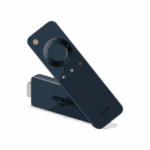
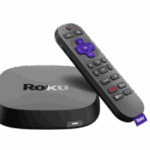
Complete step-by-step instructions to install and configure your IPTV subscription on Fire TV Stick, Roku, Apple TV, Samsung & LG Smart TVs, Android TV. Get streaming in minutes with our 2025 setup guides.
We’ve helped thousands of users successfully install IPTV services.
Here’s what makes our guides different.
Every step is explained in plain English with screenshots and visual aids. No technical jargon or confusing terminology.
Our guides are updated monthly to reflect the latest app versions, firmware updates, and best practices for 2025.
Each guide includes common issues and solutions, so you can fix problems quickly without contacting support.
Most installations take less than 10 minutes. We've optimized every guide for speed without sacrificing quality.
Got questions about IPTV setup? Find answers to the most common questions below.
Yes, you’ll need an active IPTV subscription with login credentials (M3U URL or Xtream Codes) before you can complete the setup. If you don’t have a subscription yet, check our pricing page to get started.
Get your IPTV account activated instantly and enjoy premium channels, live sports, movies, and series on your favorite device. No contracts, cancel anytime — setup takes less than 2 minutes.
Our support team is here to help you every step of the way. Choose the option that works best for you.
Chat directly with our team who can guide you through the setup process in real-time.
Send us your questions and receive detailed written instructions within 24 hours.
WhatsApp us